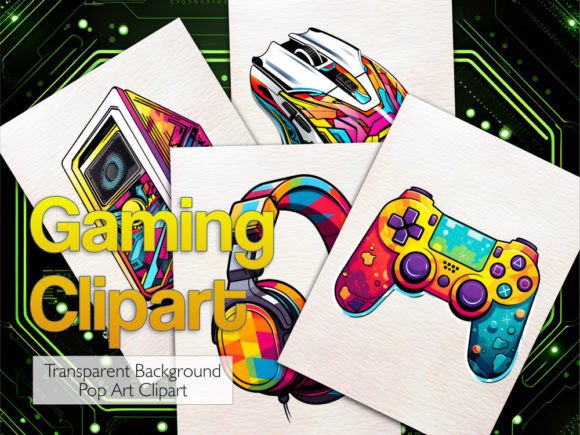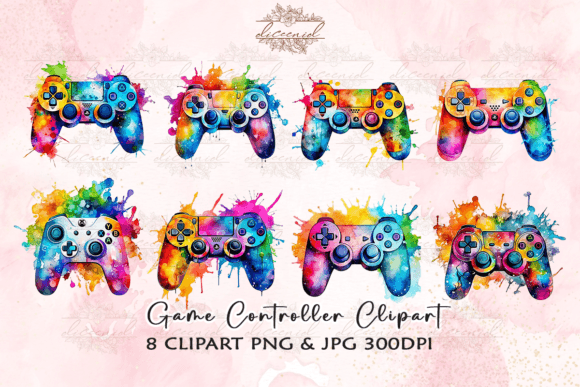
Gaming Watercolor Clipart for Designers and Creators
There's a particular kind of magic that happens when digital precision meets the unpredictability of watercolor. Gaming Watercolor Clipart captures exactly that intersection. These aren't your typical pixel-perfect game icons or harsh-edged character renders. Instead, they carry the delicate wash of pigment bleeding into paper, soft edges that feel hand-painted, and a warmth that screen-based graphics rarely achieve. For anyone who has stared at a project and felt it was missing soul, these assets might be what you've been searching for.
The collection brings together two worlds that don't always share the same canvas. On one side, the vibrant, energetic universe of gaming culture — controllers, consoles, dice, fantasy elements, retro arcade motifs. On the other, the organic fluidity of watercolor painting, where pigments bloom unpredictably and layers create depth you can almost feel. The result is something that feels both nostalgic and fresh, familiar yet surprisingly sophisticated.
What Makes Watercolor Gaming Assets Stand Out
When you first open a pack of Gaming Watercolor Clipart, what strikes you is the texture. Unlike vector game art that relies on clean lines and flat colors, these pieces have tooth and grain. Each element looks like it was painted on cold-press watercolor paper and then scanned at high resolution. The 4000x4000 pixel dimensions mean you're getting substantial files that can hold up across everything from small social media badges to large-format prints without losing integrity.
The technical specs matter here, especially if you're integrating these into professional workflows. Every file comes as both a 300 DPI PNG with a transparent background and a high-quality JPEG in RGB color format. The transparent PNGs are particularly valuable because they let you layer controllers over textured backgrounds, place fantasy creatures onto packaging mockups, or build complex compositions in your design software without fighting with white boxes around every element. No watermark appears on your downloads, so what you see in previews is cleaner in practice.
Visually, the style leans into controlled chaos. A watercolor gaming controller might have pigment pooling darker at the edges where a real brush would linger, with lighter washes filling the body. Dice look tactile rather than mathematical. Even text-based gaming elements rendered in this style carry a hand-lettered warmth that feels personal rather than mass-produced. This isn't clipart that looks like it belongs in a 2000s Microsoft Word document. It reads closer to custom illustration work, which opens doors for projects that need to feel premium without the premium price tag of commissioning originals.
Where These Assets Deliver the Most Impact
Creative professionals working across branding, publishing, and digital content will find these assets particularly useful in spaces where the typical gaming aesthetic feels too aggressive or juvenile. The watercolor treatment softens the subject matter enough to make it accessible to broader audiences while still reading clearly as gaming-related.
Consider a few scenarios where Gaming Watercolor Clipart solves genuine design problems:
- Streamer branding packages — Overlays, panels, and emotes that feel artistic rather than tech-heavy, helping creators stand out in a sea of neon-and-chrome channel designs.
- Tabletop gaming event materials — Posters, flyers, and social posts that communicate the handmade warmth of board game nights and RPG sessions without sacrificing polish.
- Children's publishing and educational content — Worksheets, book interiors, and activity pages that use gaming themes but maintain a gentle, approachable visual language suitable for young audiences.
- Merchandise and apparel design — T-shirt graphics, tote bags, and sticker sheets where the watercolor texture becomes a selling point in itself.
- Blog and editorial illustration — Header images and in-article graphics for gaming journalism, reviews, or cultural commentary that benefit from a more refined visual tone.
What's interesting is how these assets bridge demographics. A hardcore gamer in their forties might appreciate the artistry. A parent buying a birthday card for a twelve-year-old Minecraft fan might find the aesthetic charming rather than overwhelming. A small business owner launching a board game café can use them to build a brand identity that feels curated and intentional, not cobbled together from generic stock art.
Practical Design Considerations Before You Start
Working with watercolor textures requires a slightly different mindset than clean vector work. Because the files are raster-based — those PNGs and JPEGs at 4000 by 4000 pixels — you have enormous flexibility with scaling down, but you can't infinitely scale up without quality loss the way you might with an SVG. For most real-world applications, especially given that starting resolution, this won't be a limitation. A 4000px file can print at over 13 inches at 300 DPI, which covers the vast majority of commercial projects.
Color management is worth flagging because it's where many first-time users stumble. The files are created in RGB color mode at 300 DPI, which is standard for digital design and works beautifully for screens. When you're preparing files for print, your software needs to stay in RGB mode with DPI set to 300 — don't convert to CMYK expecting it to look identical. The watercolor pigments will appear differently depending on monitor calibration, paper stock, and printer profiles. If you're printing professionally, order a test proof before committing to a large run. The variation is part of the analog charm, but you want to make sure it's translating the way you envision.
For those using these assets in sublimation printing, having a sublimation printer and heat press is non-negotiable. The high resolution and RGB color space work well for sublimation workflows, but the equipment requirement is real. This isn't something you can fake with an inkjet transfer sheet and an iron. The investment in proper tools pays off in results that look professional rather than DIY.
Building Visual Hierarchy With Watercolor Elements
One of the more sophisticated ways to use Gaming Watercolor Clipart is as part of a larger typography and layout system. These aren't just decorative add-ons to sprinkle around after the fact. When you integrate them thoughtfully, they can anchor compositions, guide the eye, and reinforce brand recognition in ways that pure text or photography alone cannot.
Imagine a poster design where the main headline runs in a clean sans serif font with strong geometric shapes, and the watercolor gaming elements sit beneath as a secondary visual layer. The contrast between crisp typography and organic illustration creates a dynamic tension that feels contemporary and deliberate. Alternatively, pairing these assets with a script font or handwritten font can push the entire composition toward a cozy, artisanal feel — perfect for a local gaming tournament or a crafty Kickstarter campaign.
The key is thinking about font pairing as a support system for your imagery rather than an afterthought. A heavy display font might compete with detailed watercolor work, while a restrained serif font or lightweight sans serif lets the painted textures breathe. Test different combinations at actual size before finalizing your layout. What looks balanced on a 27-inch monitor might feel crowded on a phone screen or business card.
Licensing, Usage Rights, and Peace of Mind
Nobody wants to build a project around beautiful assets only to discover they can't legally use them commercially. The commercial font and clipart licensing landscape can be confusing, so clarity upfront saves headaches later. When you purchase Gaming Watercolor Clipart, you're getting files that can be used across personal and commercial projects — the specifics depend on the seller's terms, and it's always wise to review those before integrating assets into client work or products for sale.
What you won't find is a watermark on your downloaded files. That seems like a small thing, but anyone who has tried to mock up a design around a semi-transparent logo splashed across preview art knows how disruptive it is to the creative process. Clean files mean you can start working immediately without planning around removal or waiting for a final version.
The note about software knowledge is practical advice, not gatekeeping. If you're comfortable navigating layers in Photoshop, managing DPI settings in Illustrator, or setting up print files in InDesign, these assets will slot right into your workflow. If you're newer to design tools, the learning curve is manageable — plenty of tutorials exist for working with high-resolution raster graphics — but expect to invest some time in understanding how transparent PNGs interact with backgrounds and how to maintain color fidelity across devices.
Realistic Applications Across Different Creator Types
For the marketer running social media for an indie game studio, watercolor clipart offers a way to post consistently without burning through an illustration budget. Weekly content calendars benefit from having a cohesive visual library where every piece shares the same artistic DNA. You can remix controllers, characters, and decorative elements endlessly while maintaining brand consistency.
Crafters and hobbyists working on personal projects — scrapbook layouts, custom greeting cards, framed art for a gaming room — will appreciate the instant sophistication these assets bring. The watercolor medium inherently looks more expensive and intentional than standard clip art. A handmade birthday card featuring a watercolor arcade cabinet or painted dice reads as a thoughtful creative choice rather than a last-minute printout.
Bloggers and content creators in the gaming and lifestyle space can build visual recognition by using these assets as a consistent thread across platforms. When readers or viewers encounter your watercolor gaming aesthetic on Pinterest, then your website, then a YouTube thumbnail, they start associating that specific visual language with your voice. That kind of cross-platform coherence is hard to achieve without a deliberate design asset strategy.
Making the Most of Your Investment
Getting real value out of Gaming Watercolor Clipart means thinking beyond single-use scenarios. Because the files are high resolution with transparent backgrounds, the same element can serve wildly different purposes across months of projects. A watercolor fantasy sword might illustrate a blog post this week, become part of a Twitch panel next month, and end up as a detail on event signage six months later. That versatility is what separates thoughtful asset purchases from impulse downloads that sit unused in a cluttered folder.
Organize your files when you receive them. With packs this substantial, labeling and categorizing upfront saves time when you're deep in a project and hunting for the right visual. Consider creating a reference sheet or swatch document that shows every element at a glance — future you will be grateful when deadlines are tight and you need to scan options quickly.
Finally, experiment. Layer multiple watercolor pieces together to create depth. Adjust opacity to blend elements into backgrounds. Tint or recolor elements to match specific palettes (the RGB color space gives you plenty of room to manipulate hues in Photoshop or similar tools). The assets are starting points, not rigid finished products. The designers and creators who get the most from them are the ones willing to treat them as ingredients rather than complete dishes.