I'd Rather Be Gaming: Gamer Design Projects
The "I'd Rather Be Gaming" design says it all. It is a bold, unapologetic statement that resonates with anyone who loves gaming culture. Whether you are a content creator, a small business owner, a dedicated hobbyist, or someone hunting for the perfect personalized gift, this design opens the door to a wide range of creative projects. You receive a ready-to-use zip file that includes SVG, EPS, PNG, and DXF formats, giving you the flexibility to work with almost any cutting machine or graphic software. Always double-check that the file types are compatible with your specific machine and software before you begin, but once you are set, the possibilities are nearly endless.
What Makes This Design So Versatile
The charm of the "I'd Rather Be Gaming" file lies in its straightforward, high-contrast lettering and playful attitude. The layout typically pairs an eye-catching typographic style with subtle gaming accents, making it readable from a distance while still detailed enough to feel custom-made. It works equally well as a vinyl decal on a laptop, a heat-pressed graphic on a hoodie, or a layered piece of painted wood signage. Because the artwork is delivered in multiple vector and raster formats, you do not need to be an expert designer to achieve professional-looking results. The SVG and DXF files are particularly useful for Cricut, Silhouette, Brother ScanNCut, and laser engravers, while the EPS works seamlessly in Adobe Illustrator and CorelDRAW. The included PNG with a transparent background is perfect for print-on-demand mockups, sublimation transfers, or simple digital scrapbooking.
Creative Projects That Bring the Design to Life
One of the best aspects of a clear, lifestyle-oriented quote is how easily it adapts to different surfaces and purposes. Here are practical project ideas that span personal use, gifting, and even small-batch selling.
Custom Apparel That Talks
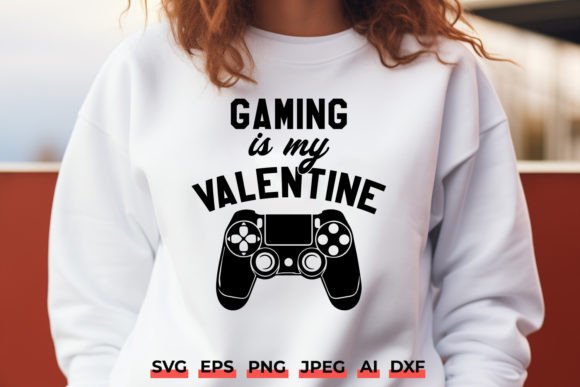
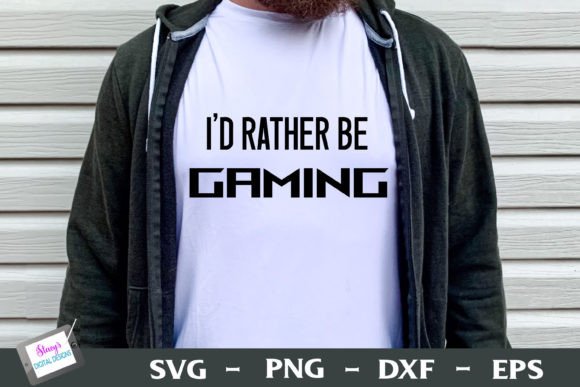
Grab a blank t-shirt, hoodie, or tank top and cut the design in heat transfer vinyl (HTV) or sublimation-friendly material. The I'd Rather Be Gaming phrase instantly transforms a plain garment into a conversation starter at gaming events, casual streams, or just lounge time at home. For a crisp, long-lasting finish, mirror the SVG before cutting and use an iron or heat press following the vinyl manufacturer’s temperature and pressure settings. Layer different colors of vinyl to let the controller icon or accent shapes pop against the main text.
Gaming Room Décor With Personality
Turn the design into permanent vinyl decals for walls, monitor bezels, PC cases, or console skins. For a bold room accent, cut the graphic on adhesive vinyl, weed it carefully, and apply it to a smooth, clean surface using transfer tape. You can also scale the design up to create a stencil for painting a canvas sign, or use the DXF file with a laser engraver to etch the words onto a wood plaque, headphone stand, or charging dock. The result feels like a custom-commissioned piece, not a mass-produced sticker.
Unique Gifts for Every Gamer
Short on time but want a meaningful present? Use the PNG file to sublimate a ceramic mug, a puzzle, or a mouse pad. Alternatively, cut the SVG from glitter or reflective HTV and press it onto a cap, a drawstring bag, or even a gaming chair cushion cover. Because the design is inclusive and not tied to a specific game title, it works for PC gamers, console enthusiasts, tabletop fans, and retro collectors alike. Add a personal note inside a card that says you hope they get more time to do what they love, and you have a gift that fits birthdays, holidays, or a simple “thinking of you” moment.
Adapting the Design for Different Audiences and Goals
The same base file can lead to completely different results depending on how you modify color, scale, and material. A blogger or educator might use the design to create printable worksheets for a gaming-themed classroom activity, layering the image over graph paper or a leaderboard template. A marketing professional could incorporate the graphic into social media posts promoting a community game night, using the transparent PNG to keep posts clean and on-brand. Freelancers and small business owners who sell at craft fairs or online stores can offer a range of products—from iron-on patches to car decals—just by adjusting size and pairing the design with complementary backgrounds or frames.
If you are targeting a younger audience, consider softening the edge with pastel vinyl or adding a playful outline shadow in your cutting software. For a sleek, adult audience, stick to monochrome palettes, metallic foils, or matte black on dark grey. The sentiment stays the same; the style adapts to the context.
Organizing Your Workflow for Consistent Results
When you work with multiple file types and materials, a little organization goes a long way. Start by unzipping the folder and storing the files in a clearly labeled directory. Separate the SVG and DXF for your cutting machine, keep the EPS handy for detailed editing, and place the PNG in your sublimation or print-ready folder. Before importing, check the design for any stray nodes or ungrouped elements that might confuse your software. Most vector files will open cleanly, but running a quick preview can save material and frustration.
Test cuts on a small piece of scrap vinyl or cardstock teach you how fine details transfer to your specific blade depth and pressure. If you notice tiny letters or intricate lines lifting during weeding, slightly enlarge the design—usually bumping the overall width by 10–15 percent resolves the issue without losing the look. Keep notes on the settings that work best for each material type, especially if you plan to reproduce the project later for customers.
Turning a Fun Quote Into a Profitable Niche
Gaming-related merchandise remains a strong market, but standing out requires more than slapping text on a shirt. The "I'd Rather Be Gaming" design gives you a reliable foundation to build a cohesive product line. Pair it with matching designs that share similar typography or visual elements—like game controller silhouettes, pixel art hearts, or retro arcade borders. You can then offer bundles: the design on a tee, a mug, a sticker pack, and a phone case, all unified by the same aesthetic.
If you sell on platforms like Etsy, Shopify, or Creative Market, make sure your product photos show the design in realistic settings. A mockup of a relaxed person wearing the shirt while holding a controller, or a clear shot of the decal on a clean laptop, helps customers visualize ownership. In your product descriptions, mention the design’s available file formats and suggest compatible machines, which builds trust and reduces returns. Always respect any license restrictions provided with the file—many commercial-use-friendly designs still ask that you not resell the digital file itself in its raw form.
Practical Tips for Software and Machine Compatibility
Each file format in the zip serves a distinct purpose, and understanding their strengths helps you avoid headaches. SVG files are the go-to for most cutting machine software, preserving smooth curves and allowing you to resize without losing quality. DXF files are often preferred by Silhouette Studio Basic users or those working with CAD-based laser cutters. The EPS file is ideal if you plan to heavily customize the design in a professional vector editing program, such as recoloring individual elements, adding a custom outline, or combining multiple designs into a single layout. The PNG provides a ready-to-print image with no background, which is essential for sublimation prints and printable heat transfer sheets.
Before purchasing, verify that your machine accepts one or more of these formats. For example, a Cricut Explore or Maker easily imports SVG and DXF, while some older models might only accept specific file types through workarounds. If you are new to crafting, start with the SVG and use your machine’s default material settings to get a feel for the design before you push the limits with specialty materials like holographic or glow-in-the-dark vinyl.
Staying Original While Working From a Prompt
Even though the design comes pre-made, you can stamp your own creative signature on it. Experiment with adding a personalized gamertag below the main quote, or layering the text over a photo of an actual game scene (with proper licensing) for a custom poster. Use offset and contour tools in your cutting software to create a border that frames the text, making it suitable for a patch or a standalone emblem. You can also slice the design apart to turn it into a two-tone stencil for spray painting an arcade stick or a skateboard deck.
Audiences respond to work that feels intentional, not generic. A streamer receiving a hoodie with this design in their signature brand colors feels seen. A family member opening a framed canvas print that matches their gaming den instantly gets the inside joke. Those are the moments that transform a simple cut file into something memorable.
From Screen to Reality: Key Takeaways
The "I'd Rather Be Gaming" design collection puts you in control of a high-impact graphic without the need for advanced illustration skills. It bridges the gap between a clever phrase and a physical object that people can wear, display, or gift. By taking the time to match the right file format to your machine, experimenting with materials, and considering the end user’s personality, you can create results that consistently impress.
Keep your process simple: import the file, run a test cut, choose your medium, and assemble with care. Whether you are making a single gift for a friend or launching a full product drop, this design serves as a dependable starting point that you can refine over and over again. Because at the end of the day, anyone who loves gaming will smile at a sign that proudly declares what they were already thinking—I'd rather be gaming.