Designing Your Own Gaming Merchandise with the Summer Gaming Bundle
Every creative project starts with the right assets. When you sit down to craft a custom t-shirt, a vinyl decal, or a digital illustration inspired by your favorite pastime, the difference between frustration and flow often comes down to what you have in your toolkit. A well-organized collection of editable graphics removes barriers. The Summer Gaming Bundle addresses this need directly, offering a curated set of gaming-themed designs that work across virtually any design software you might use. Rather than hunting through scattered downloads or settling for low-resolution copies, you open a folder and find everything ready to go in multiple formats. That kind of preparedness changes how you approach a project.
Who Actually Benefits from a Gaming Graphics Collection
The audience for gaming visuals stretches far beyond what casual observers might assume. Independent apparel brands run limited drops of controller-themed hoodies and retro arcade shirts. Streamers need overlay elements, emotes, and channel art that resonate with their communities. Hobbyists with cutting machines want to personalize water bottles, laptop skins, and phone cases. Teachers running game development clubs look for visual aids that speak their students' language. Small business owners at convention booths need signage and promotional materials that capture attention quickly.
Each of these users approaches the same graphics from a different angle. The streamer might pull elements into OBS for a weekend charity event. The small business owner might send files directly to a print shop for banners. The hobbyist might load a design into Cricut Design Space for an afternoon project. What makes the Summer Gaming Bundle especially practical is that it anticipates these varied workflows. You are not locked into a single ecosystem or forced to convert files through questionable online tools. The bundle arrives with the conversions already done.
Understanding the File Format Ecosystem
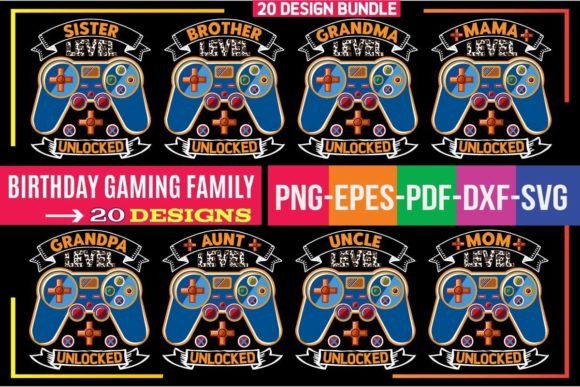
File compatibility determines whether you spend your afternoon designing or troubleshooting. Anyone who has received a graphic only to discover it opens as a blank canvas in their software understands this frustration. The bundle sidesteps this entirely by including five core formats, each suited to specific tools and purposes.
SVG Files for Cutting Machines and Vector Editing
Scalable Vector Graphics sit at the center of modern crafting workflows. If you use a Cricut, a Silhouette machine, or a laser engraver, the SVG format is what you need. These files contain mathematical descriptions of shapes rather than fixed pixels, meaning you can resize a design from a small sticker to a full-size banner without any loss of quality. Software like Adobe Illustrator, Inkscape, and CorelDRAW all handle SVG natively. For Silhouette users with the Designer Edition upgrade, SVGs import directly without additional steps. The cutting path information stays intact because SVGs preserve the structural data that tells a blade where to go.
DXF for Silhouette Studio Users
The DXF format serves a very specific audience. Silhouette machine owners who use the free basic version of Silhouette Studio cannot import SVG files. DXF bridges that gap. It originated as an AutoCAD interchange format but has become a standard way to move vector data between design programs and cutting software. When you open a DXF in Silhouette Studio, the cut lines appear as expected, and you can proceed with your project without needing to purchase a software upgrade. This inclusion shows an awareness of practical user constraints. Not everyone has premium software, and a bundle that accounts for that reality provides genuine utility rather than just marketing claims.
EPS and AI for Professional Design Environments
The EPS format has been a reliable workhorse in print and design for decades. It opens cleanly in Adobe Illustrator, CorelDRAW, Inkscape, and many other professional tools. Print shops often prefer EPS because the format handles complex vector data predictably. Meanwhile, the native AI format preserves full editability within Adobe Illustrator, including layer structures and color groups. If you need to change the fill of a controller icon or adjust the stroke weight on a title design, having the AI file means you can do so directly rather than reconstructing elements from a flattened version. This matters when you are integrating gaming graphics into larger compositions or adapting them to brand color palettes.
PNG for Instant Use Across Digital Platforms
Not every project requires vector editing. Sometimes you need a high-resolution image with a transparent background that you can drop into a social media graphic, a website banner, or a print layout. The PNG files included in the Summer Gaming Bundle come at 300 dpi, which is the standard for professional printing. The transparency means you can layer gaming elements over photographs, textures, or colored backgrounds without awkward white boxes around the edges. This format also serves users who work in raster-based programs like Photoshop, GIMP, or Canva. You do not need to learn vector software to make use of these designs. That accessibility expands the bundle's audience considerably.
Why Vector Foundations Matter for Gaming Designs
The bundle's core is built on 100% vector shapes. This technical detail has practical implications that affect every project downstream. Vector graphics scale infinitely. A joystick icon that looks crisp on a business card will also look crisp on a six-foot convention banner. The mathematical curves that define each shape remain smooth regardless of output size. This stands in contrast to raster images, which pixelate when enlarged beyond their original dimensions.
Editability also improves dramatically with vector source files. Suppose you find a gaming pad graphic in the bundle that perfectly suits your esports team's merchandise, but the existing color scheme clashes with your team branding. Because the shapes are vector-based, you can select individual elements and recolor them directly. The stroke widths, the corner radii, the spacing between elements, all of these properties remain adjustable. This flexibility transforms the bundle from a set of fixed clip art into a foundation you can adapt to specific creative visions.
Practical Projects You Can Start Immediately
The connection between file formats and finished products becomes clearer when you look at specific use cases. Consider a few scenarios that demonstrate how the same bundle serves entirely different purposes depending on who is using it.
A parent organizing a birthday party for a gaming-enthusiast child downloads the bundle and loads SVGs into Cricut Design Space. Within an hour, they have cut vinyl decals for party favor bags and heat-transfer designs for custom t-shirts. The cutting machine reads the vector paths and produces clean, professional-looking results. The parent never needed to learn Illustrator or understand bezier curves. The files worked as supplied.
On the other end of the spectrum, a graphic designer preparing branding for a local gaming café opens the AI files in Illustrator. They recolour the designs to match the café's orange and charcoal palette, combine several elements into a composite logo mark, and export print-ready PDFs for signage and menus. The original vector structure allowed for the type of deep customization that commercial work demands.
A streamer somewhere in between these examples takes PNG files with transparent backgrounds and layers them into a Twitch overlay template in Photoshop. The 300 dpi resolution ensures that even on large monitors, the graphics remain sharp. The transparent backgrounds mean the gaming icons sit naturally over gameplay footage without awkward bounding boxes.
Navigating Software Compatibility Without Stress
Design software ecosystems can feel fragmented. You might work primarily in Canva for social media content, occasionally open Inkscape for vector work, and rely on Silhouette Studio for cutting projects. Moving between these tools traditionally involves format conversion headaches and quality loss at each step. The Summer Gaming Bundle eliminates this friction by providing each format upfront.
For Adobe users, the AI and EPS files offer full native compatibility. Inkscape users gravitate toward SVG, which that program handles exceptionally well because SVG is its native format. CorelDRAW users can open either EPS or SVG files depending on their version and preference. Silhouette users have both DXF for the free software and SVG for the Designer Edition. Circuit users work with SVG imports directly. The PNG files serve anyone else, or anyone who simply wants to preview designs quickly without launching specialized software.
This multi-format approach also future-proofs your purchase. If you currently use one program but switch to another next year, you will not lose access to your design assets. The files remain usable regardless of software changes. That kind of forward-thinking packaging reflects an understanding of how creative workflows evolve over time.
Color Customization and Creative Control
The ability to modify colors quickly ranks among the most frequently requested features in design assets. Gaming visuals often need to match team colors, stream branding, or event themes. The bundle's vector foundation makes color changes straightforward. In Illustrator or CorelDRAW, you can select objects and apply new fills with a few clicks. In Inkscape, the fill and stroke dialogue gives you the same control. Even the PNG files, though rasterized, can be recolored using adjustment layers or color replacement tools in photo editors.
This flexibility extends beyond simple recoloring. Because the designs are built from individual vector shapes, you can break compositions apart. Maybe you want to use only the directional pad from a controller graphic, or isolate the typography from a gaming quote design. You have access to the building blocks, not just the finished compositions. That modularity supports creative experimentation. You might discover unexpected combinations by layering elements from different files within the bundle.
Production-Ready Specifications for Print and Apparel
Creating graphics that look good on screen is one skill. Creating graphics that print cleanly on fabric, vinyl, paper, and other substrates is another discipline entirely. The bundle's 300 dpi PNG exports meet the resolution requirements that professional printers expect. When a t-shirt printing service asks for artwork at 300 dpi with a transparent background, you already have exactly what they need.
The vector formats provide an additional advantage for print work. Vector files can be scaled to any size without interpolation artifacts. If a print shop needs your design at 24 inches wide for a poster, the SVG or EPS file generates that output natively. There is no upscaling, no resampling, no quality compromise. The lines remain as sharp at poster size as they were at sticker size. This reliability matters when you are ordering bulk prints or investing in merchandise inventory. You do not want to discover print quality issues after production has already started.
Evaluating the Value for Your Specific Needs
Design resources exist across a wide pricing spectrum. Free options often come with usage restrictions, attribution requirements, or quality limitations. Premium marketplaces charge per item, sometimes ten dollars or more for a single quality design. The Summer Gaming Bundle positions itself in an accessible middle ground, offered at $3 with a stated savings of 47%. For creators who need multiple gaming-themed designs across various output formats, this pricing structure removes the need to make difficult choices about which individual graphics to purchase.
The practical question is whether the bundle's contents align with your current and upcoming projects. If you regularly create gaming-related apparel, stickers, posters, or digital content, having a ready library of editable designs saves substantial time compared to sourcing assets piece by piece. If your gaming content creation is occasional, the low entry price still justifies having quality assets on hand for when inspiration strikes. The bundle's strength lies in its versatility across user types, from the casual hobbyist making gifts to the professional designer serving clients in the gaming industry.
The transparent backgrounds on PNG files, the print-ready resolution, the full vector editability of AI and EPS versions, and the deliberate inclusion of DXF for budget-conscious Silhouette users all point toward thoughtful curation. Someone considered the actual workflows of actual users when assembling these formats. That practical consideration translates into a resource that feels ready to use the moment you download it, rather than a collection of files that requires extensive preparation before you can begin creating.
Integrating Gaming Graphics into Broader Creative Workflows
Gaming visuals do not exist in isolation. They often appear alongside photography, typography, texture effects, and other design elements. The bundle's transparent PNGs facilitate this layering. You can place a gaming controller icon over a photograph of a desk setup, adjust the opacity for a subtle watermark effect, and export for social media. The vector files allow you to incorporate gaming elements into larger illustrations without quality mismatches. A game-themed event flyer might combine the bundle's graphics with custom text, sponsor logos, and venue photography in a single composition.
Educators teaching design principles can use the bundle as example material for lessons on vector editing, color theory, or file format selection. The variety of included formats demonstrates real-world file management practices. Students can open the same design as an SVG, an EPS, and a PNG to understand how each format handles the data differently. This educational angle might not be the primary use case, but it illustrates how broadly applicable well-organized design resources can be.
The gaming aesthetic itself carries cultural significance that extends beyond literal game references. Pixel art motifs, controller silhouettes, and retro arcade typography have become visual shorthand for playfulness, technology, and community. Brands outside the gaming industry sometimes borrow these visual cues to signal that they understand younger, digitally native audiences. Having a library of these elements means you can tap into that visual language when appropriate for a project, whether or not the project is directly about gaming.
Maintaining Quality Across Different Output Media
One design might need to appear on a dark cotton t-shirt, a glossy vinyl sticker, a matte paper poster, and an LED-backlit screen. Each medium interacts with color and detail differently. The resolution and format flexibility of the Summer Gaming Bundle helps accommodate these variations. For screen use, PNG files with their pixel-level precision work well. For heat transfer vinyl, the vector cut paths in SVG or DXF guide the cutting machine accurately. For offset printing, EPS files with their robust color handling integrate smoothly into professional prepress workflows.
Color management deserves a brief mention. While the bundle's editable nature means you can adjust colors to suit your output medium, the starting point matters. Designs built with clean, well-separated color areas translate more predictably across media than designs with complex gradients or photographic elements. The vector-based gaming graphics in this collection use flat colors and defined shapes that reproduce consistently whether printed, cut, or displayed digitally. This predictability reduces the trial and error that often accompanies multi-media design projects.
Building a Sustainable Creative Resource Library
Creative professionals and serious hobbyists tend to accumulate design resources over time. The resources that remain useful are those that adapt to changing tools and project requirements. A bundle that provides source files in multiple editable formats has staying power. Five years from now, even if the design software landscape shifts, the SVG and EPS formats will almost certainly remain supported. The PNG files will remain viewable on any device. This format diversity protects the value of the purchase against technological obsolescence.
Organizing these files thoughtfully on your own system also pays dividends. Creating a clear folder structure, perhaps separating vector files from raster files and organizing by theme, means you can find the right asset quickly when a project deadline looms. The bundle's consistent inclusion of multiple formats for each design simplifies this organization. You might store all SVGs in your cutting machine library, all PNGs in your digital design assets, and all AI files in your advanced editing workspace, knowing that each version of each design remains available when you need it.