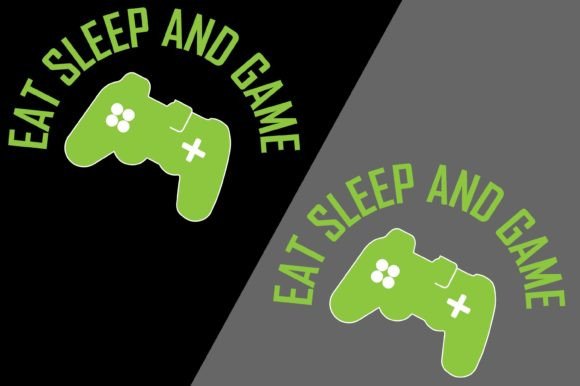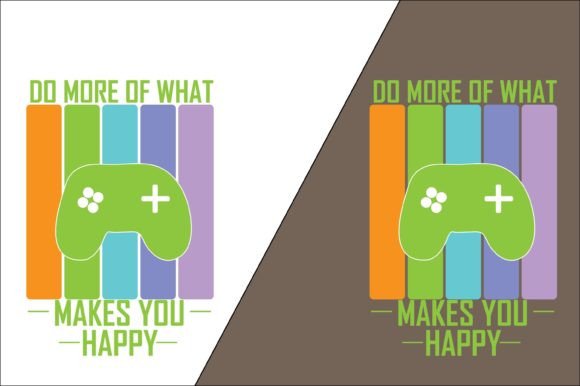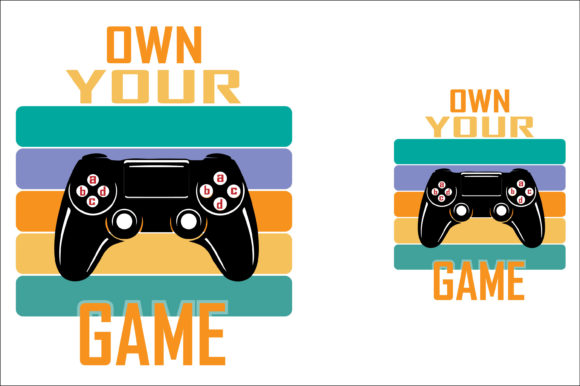
Own Your Game T-Shirt Design
When you purchase the Own Your Game T-shirt Design, you receive a ready-to-use digital asset built around a bold gaming motif. The package includes a 100% vector file in AI and EPS formats, compressed into a single ZIP archive. This setup is not just a graphic; it is a production-ready resource that can move directly into apparel decoration, promotional merchandise, or personalized gift creation with minimal friction.
Understanding where this design fits within a broader creative or commercial workflow helps you avoid guesswork. It arrives as a structured set of files that work inside industry-standard vector editing software. After extracting the ZIP, you have full control over scaling, color separation, and placement adjustments. This is particularly useful for print shops, small business owners, and hobbyists who need to maintain consistent output across multiple product types.
What You Actually Get With the Download
The ZIP file contains two primary formats: Adobe Illustrator (AI) and Encapsulated PostScript (EPS). Both hold vector information, meaning the design can be resized from a tiny mug decal to a full-back T-shirt graphic without any loss of quality. This scalability is essential when the same graphic needs to appear on items with vastly different printable areas.
After unzipping, you will see cleanly organized layers, usually with separated elements that make it easy to change colors or isolate parts for screen printing, direct-to-garment (DTG), or sublimation. The file structure is compatible with Adobe Illustrator, CorelDRAW, Affinity Designer, and many other vector-capable programs. If your workflow involves cutting machines like Cricut or Silhouette, the EPS or AI file can often be opened and converted to SVG with minimal effort, expanding its uses to heat transfer vinyl and paper crafting.
Integrating the Design Into a Production Workflow
For anyone running a print-on-demand store, merchandise line, or event apparel project, the Own Your Game T-shirt Design acts as a plug-and-play element that shortens the design phase. Instead of commissioning custom artwork or spending hours sketching, you start with a polished asset that already carries a specific theme. This shifts your focus toward application and quality control.
The typical integration path looks like this: download the ZIP, extract the files, open the AI or EPS in your preferred software, and review the layers. If your printer requires specific color profiles, you can adjust them directly in the vector file. For screen printing, you might separate colors into individual plates. For DTG or sublimation, you can export a high-resolution PNG with a transparent background. The vector origin means you can set the export resolution to whatever the printer demands—300 DPI, 600 DPI, or higher—without interpolation artifacts.
Because the design is delivered in a single ZIP, organization becomes part of your internal asset management. Store the extracted folder in a well-labeled directory, perhaps alongside mockup templates and color swatches. This prevents misplacement and ensures that when a repeat order arrives, you retrieve the exact same master file, preserving consistency across print runs.
Practical Applications Beyond T-Shirts
Although the product title references T-shirts, the vector nature opens up a range of printable products. You can place the graphic on pillows, mugs, tote bags, hoodies, laptop sleeves, and even rigid substrates like wood or metal through sublimation or UV printing. The design files are not locked to a single carrier, so a small business can diversify its catalog without purchasing additional artwork licenses.
For hobbyists using heat transfer vinyl, the crisp lines of a vector design translate cleanly to cutting paths. After importing the file into your cutter’s software, you can separate by color and send each layer to the machine. The result is a professional-looking finished piece that holds up through repeated washing. If you are creating gifts for a gaming community or a local tournament, the ability to quickly produce matching items—a shirt, a mug, and a pillow—gives the entire set a cohesive, premium feel.
Preparing Files for Specific Printing Methods
Different decoration methods require different preparation steps, and the raw AI and EPS files accommodate them all. For sublimation, you would open the design, mirror it if needed, and place it on a template sized for your heat press. The vector data remains sharp even when scaled to large dimensions. When working with CMYK printers, you may need to convert the color space from RGB; the layered structure makes this a straightforward selection in most vector programs.
Screen printing often demands spot color definitions. Since the Own Your Game T-shirt Design typically uses a limited palette suited for gaming graphics, you can assign Pantone or custom spot colors to each filled area. Outlining text and strokes ensures no font dependencies, though the files generally arrive with text already expanded. Always confirm with your screen printer whether they need the separations provided as individual grayscale plates or as a composite multi-layer file; the EPS format handles both scenarios seamlessly.
For direct-to-film (DTF) and DTG, a high-resolution PNG export is usually sufficient. Open the AI file, hide any background layers, and export at actual print size at 300 DPI or higher. Save the export settings as a preset so that future orders follow the same exact parameters. This consistency matters when a customer reorders six months later and expects the same crisp detail.
Ensuring Quality Control and Long-Term Usability
A common mistake when working with purchased designs is skipping a close review before sending to production. Check for open paths, unintended transparency effects, and stray points. In Illustrator, use the outline view and the document info panel to audit the file. Even though the design is delivered clean, different software versions can sometimes interpret certain paths differently. Taking five minutes to inspect and clean up avoids misprints and wasted blanks.
Keep the original ZIP file as a master backup. Extract a working copy into your active project folder, but leave the compressed version intact in a cloud storage or archive drive. This simple habit protects against accidental overwrites and file corruption. Since the design can be used for T-shirts, pillows, mugs, and clothes printing year after year, maintaining a pristine original asset is a small effort that pays off over time.
If your work involves collaborating with external printers or partners, always send the extracted, organized folder rather than the ZIP. Include a brief note about layer structure and the recommended color profile. This reduces back-and-forth and positions you as a detail-oriented professional, whether you are running a business or coordinating a personal project.
Customization and Adaptation Without Losing Quality
While the base design is complete as delivered, real-world projects often call for adjustments. You may want to add a team name, an event date, or modify the color scheme to match brand guidelines. The vector foundation makes these edits non-destructive. Add text as new layers, apply pathfinder operations to merge shapes, or adjust gradients—all without degrading the original paths. The AI file, in particular, preserves editable text and effects if the creator left them in a working state, but even if they are outlined, you can still place new text alongside.
When adapting for different products, mind the aspect ratio and safe margins. A design built for a chest print might need slight modification for a vertical mug wrap or a square pillow. Use the scale tool proportionally, and then adjust layout manually. Group related elements before moving to maintain internal spacing. Save these product-specific versions as separate files, clearly labeled with the product type and date, so your asset library grows in an organized way.
Using the Design Within a Broader Marketing or Merchandising Strategy
For entrepreneurs and marketers, the Own Your Game T-shirt Design can serve as the cornerstone of a themed collection. Launch a line of gaming-inspired apparel and pair it with complementary items, using the same vector aesthetic across all products. This design consistency strengthens brand recognition. Since the file is reusable across unlimited items (as is typical for such commercial-use assets), your cost per unit becomes negligible after the first few sales.
If you sell through platforms like Etsy, Shopify, or Amazon Merch, having a high-quality, scalable design that you fully control places you ahead of sellers who rely on pre-printed mockups that cannot be adapted. You can create your own lifestyle mockups by placing the graphic onto blank product photos, showing it on T-shirts, pillows, and mugs in a single listing image. This hands-on approach elevates the perceived value and reduces return rates because what customers see is what they get—a faithfully reproduced design.
For educators, community organizers, or event hosts, the design can be quickly placed onto team shirts, volunteer apparel, or giveaway items. The gaming theme resonates with a wide demographic, and the professional file quality means even a one-off local print shop run will look polished. Communication with the printer becomes smoother when you can hand over a vector file rather than a low-resolution JPG pulled from a social media post.
Troubleshooting Common Workflow Snags
Even with a well-structured asset, occasional issues arise. Some users find that the AI file opens with missing fonts if the text is not outlined. If you see a font substitution warning, check with the seller whether live text is intentional; most T-shirt design packs outline fonts to avoid this. If a file appears blank upon opening, ensure you are using a vector program and not a raster editor like Photoshop, which may not handle EPS layers correctly. In Photoshop, you can place the EPS as a smart object, but for full editing, switch to Illustrator or a compatible tool.
When exporting for web preview or POD platforms that require specific file size limits, export settings matter. Use the “Save for Web” or “Export As” dialog in Illustrator, choose PNG-24 with transparency, and set dimensions to match the platform’s template. The vector source allows infinite rerendering, so if the first export looks slightly jagged, adjust the anti-aliasing settings or increase the output resolution.
Long-Term Asset Management and Licensing Awareness
Treat the Own Your Game T-shirt Design as a durable business asset. Back up the files in multiple locations. Tag them with keywords like “gaming,” “vector,” “apparel,” and the original purchase date in your digital asset management system or even a simple folder naming convention. Over time, you will accumulate a library of such designs, and being able to retrieve the right one quickly saves hours.
While the specific license terms vary, a design sold with AI, EPS, and ZIP files for use on T-shirts, pillows, mugs, and clothes generally permits both personal and commercial physical product creation. If you plan to resell the digital file itself or incorporate it into a new digital product for redistribution, confirm those rights separately. For most users, the primary value lies in the freedom to print on physical goods without recurring fees.
The Own Your Game T-shirt Design fits squarely into a workflow that values efficiency, repeatability, and professional output. By understanding the file contents, preparing them appropriately for each print method, and managing the asset over time, you can use this single purchase across dozens of projects and product categories, making it a practical tool for anyone serious about custom merchandise.